Describe the bug
Opening an existing .graphite file and slightly changing the size of a 750x750 pixels layer using the mouse drag causes the layer to be significantly inflated to around 575000x575000 pixels. The behavior occurs whether one is trying to increase or decrease the size of the layer.
To Reproduce
- Load previously saved document
- Use your mouse to resize a layer.
Expected behavior
The layer is resized gradually.
Priority
P0, It's impossible to work with Graphite while the issue is present.
Reference - Google Issue tracker priority levels
Screenshots/Video
- Loaded document:
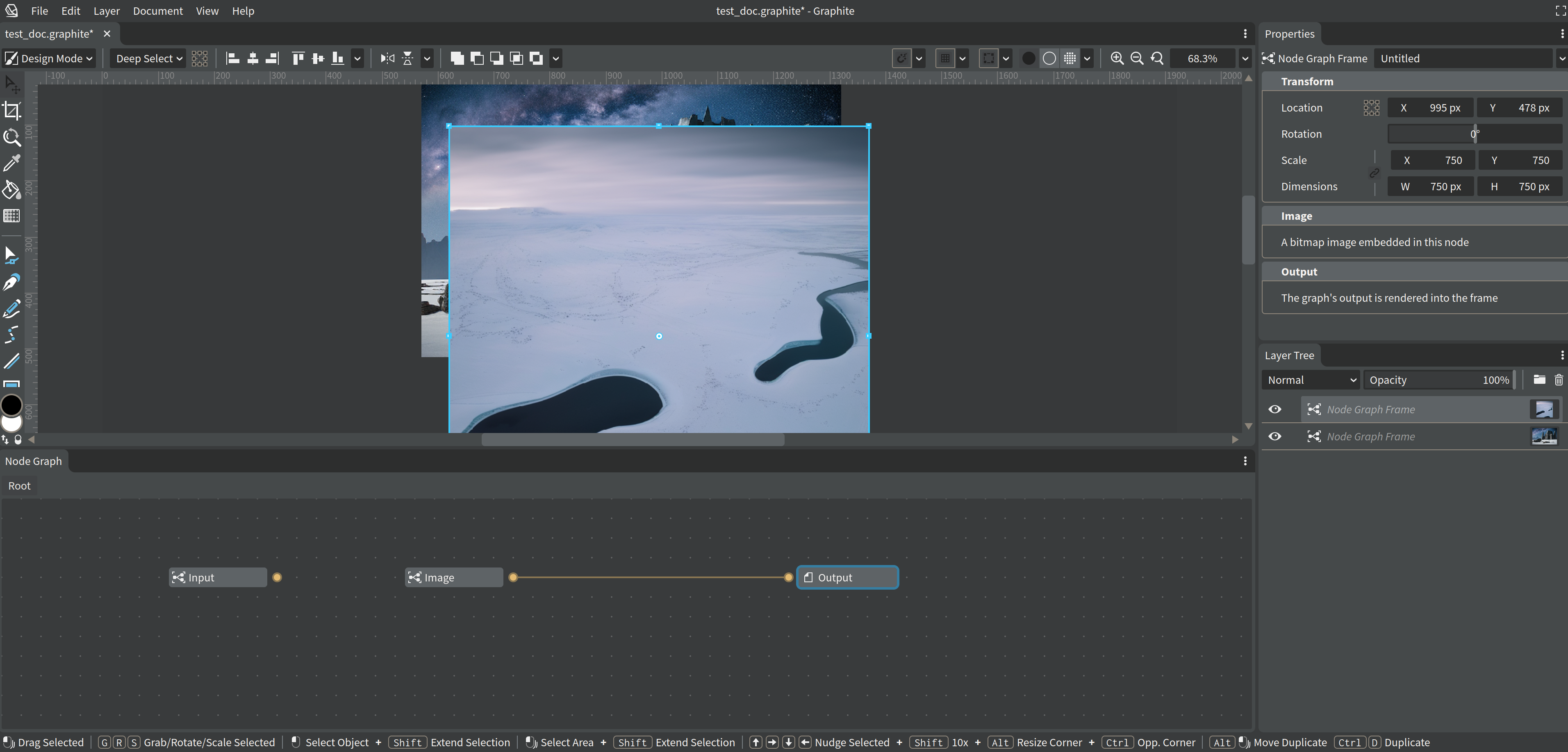
- Slightly resizing left top corner:

Desktop
- OS: Ubuntu
- Browser: Firefox
- Resolution: 1920x1080
- Version: Latest master branch 2023/03/28 14:46 CET
Additional context
The issue started occurring some time after #1087
Describe the bug
Opening an existing .graphite file and slightly changing the size of a 750x750 pixels layer using the mouse drag causes the layer to be significantly inflated to around 575000x575000 pixels. The behavior occurs whether one is trying to increase or decrease the size of the layer.
To Reproduce
Expected behavior
The layer is resized gradually.
Priority
P0, It's impossible to work with Graphite while the issue is present.
Reference - Google Issue tracker priority levels
Screenshots/Video
Desktop
Additional context
The issue started occurring some time after #1087