After installing databricks with
brew tap databricks/tap
brew install databricks
echo fpath+=$(brew --prefix)/share/zsh/site-functions >> ~/.zshrc
echo 'autoload -Uz compinit && compinit' >> ~/.zshr
I am able to see the autocomplete for various components of the CLI (e.g., bricks clusters ... or bricks model-registry ...), but when I get to the specific command (e.g., bricks clusters create ...) and press tab the CLI asks me if I would like to see all possibilities:

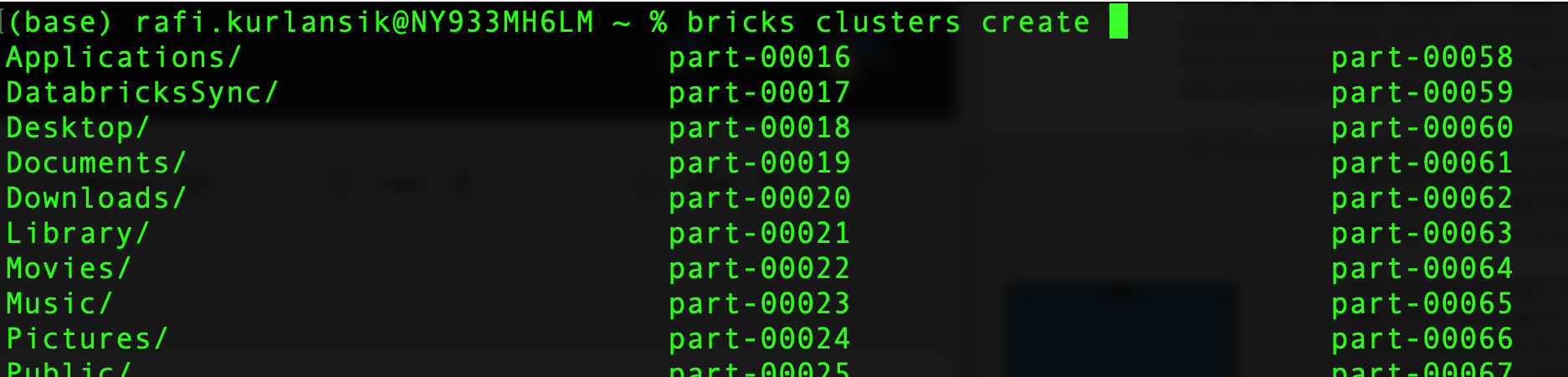
When I say yes, it lists the contents of the current working directory instead of the CLI command options:
System Info:
2021 Macbook Pro, 16 inch
macOS Ventura 13.3
bricks version 0.0.31
Authentication via PAT

After installing
databrickswithI am able to see the autocomplete for various components of the CLI (e.g.,
bricks clusters ...orbricks model-registry ...), but when I get to the specific command (e.g.,bricks clusters create ...) and press tab the CLI asks me if I would like to see all possibilities:When I say yes, it lists the contents of the current working directory instead of the CLI command options:
System Info:
2021 Macbook Pro, 16 inch
macOS Ventura 13.3
bricks version 0.0.31
Authentication via PAT