Pearce Codes is a personal downstream of T3 Code, a fast, remote-ready GUI for coding agents. It provides web and Electron desktop clients for controlling agent CLIs running on your machine while keeping its package, command, ports, and data separate from an upstream T3 Code installation.
Pearce Codes works with Codex, Claude Code, Cursor, Grok Build, OpenCode, and Kiro. Install and authenticate at least one provider CLI before starting it.
Pearce Codes carries a focused set of changes on top of T3 Code:
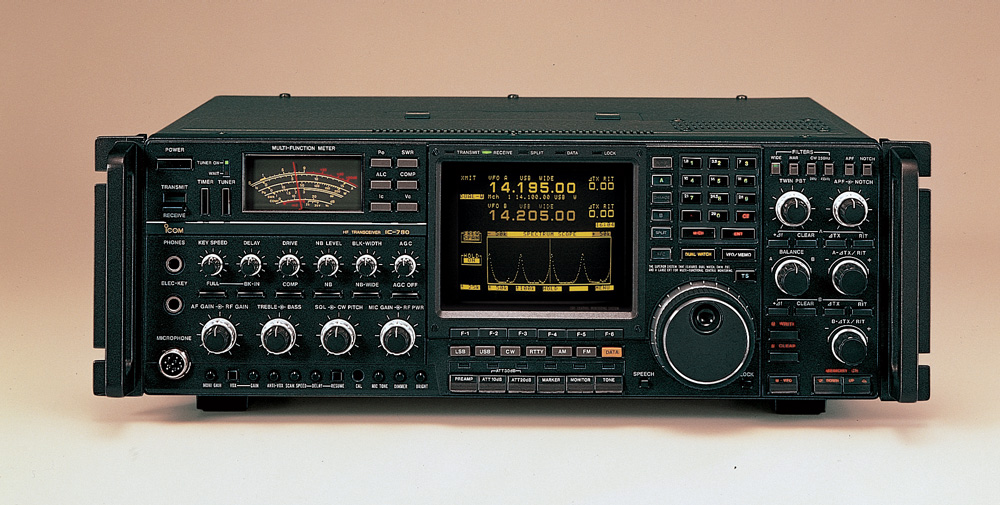
- Personal branding. Its industrial controls, CRT treatment, colors, and product identity are inspired by the Icom IC-781 radio.
- Kiro support. Kiro is integrated through
kiro-cli acp, including agent selection, turns, steering, plans, tasks, tool calls, subagents, and usage reporting across the supported clients. - UX experiments. The fork is a place to explore interaction and visual ideas while retaining T3 Code's performance, remote access, and multi-client architecture.
The original project and canonical source are maintained at
pingdotgg/t3code. Pearce Codes source
and releases are maintained at
pearce-codes/t3code.
This repository is managed as a downstream rather than a one-time fork:
upstream/maintracks canonical T3 Code.origin/mainis the reviewed, releasable Pearce Codes branch.- A weekly workflow checks for upstream changes and opens a draft sync pull request when they merge cleanly. It never merges or publishes automatically.
- Upstream updates are merged on temporary
sync/upstream-YYYY-MM-DD-SHAbranches. Publishedmainhistory is not routinely rebased. - Pearce-specific behavior is tracked in the downstream changes ledger.
The detailed maintenance process is in the downstream sync runbook.
The published Pearce Codes CLI requires Node.js
^22.16 || ^23.11 || >=24.10.
Run the latest stable CLI and local web client without a global install:
npx @pearcecodes/t3code@latestUse the nightly channel for the newest prerelease:
npx @pearcecodes/t3code@nightlyDesktop artifacts are available from Pearce Codes Releases. Pearce Codes does not currently publish Homebrew, Winget, or AUR packages.
- Codex: install Codex CLI and run
codex login. - Claude: install Claude Code and run
claude auth login. - Cursor: install Cursor CLI and run
agent login. - Grok Build: install Grok Build CLI and run
grok login. - OpenCode: install OpenCode and run
opencode auth login. - Kiro: install and authenticate
kiro-cli. Pearce Codes starts its ACP server withkiro-cli acp; a custom binary path can be set in provider settings.
Pearce Codes can run beside upstream T3 Code without sharing runtime state.
| Concept | Pearce Codes | Upstream T3 Code |
|---|---|---|
| npm package | @pearcecodes/t3code |
t3 |
| CLI command | pearcecodes |
t3 |
| Desktop app | Pearce Codes |
T3 Code |
| Default port | 5656 |
3773 |
| Data home | ~/.pearce-codes |
~/.t3 |
Set PEARCE_CODES_HOME to relocate the Pearce Codes data directory.
Source development uses the Node.js version declared in the root
package.json. Install the Vite+ vp command,
then clone and start the repository:
git clone https://github.com/pearce-codes/t3code.git
cd t3code
vp i
vp run dev
Read CONTRIBUTING.md before reporting a bug or opening a pull request. Architecture documentation starts at docs/internals/overview.md.
Pearce Codes releases are manually dispatched from a reviewed commit on
origin/main. The scheduled upstream nightly job is disabled for this
repository.
Before dispatching a release:
-
Confirm the latest upstream sync is merged or intentionally deferred and the downstream changes ledger is current.
-
Run focused tests for the affected packages.
-
Run the release checks:
vp run icons:check
node scripts/release-smoke.ts
-
Confirm npm trusted publishing for
@pearcecodes/t3codeand the required identity, relay, signing, and platform credentials.
Dispatch a stable release with an explicit semantic version:
gh workflow run release.yml \
  --ref main \
  -f channel=stable \
  -f version=1.2.3
Dispatch a nightly release, whose version is derived automatically:
gh workflow run release.yml \
  --ref main \
  -f channel=nightly
Stable releases publish the npm tag latest; nightly releases publish
nightly. The GitHub and npm versions must match. Hosted web deployment,
automatic version-bump commits, and package-registry publishing beyond npm
remain disabled until configured explicitly.
After publication, install the CLI in a clean temporary directory, launch a
newly downloaded desktop artifact, and verify that update metadata points to
pearce-codes/t3code. See the full
Pearce Codes release checklist.
User and contributor documentation lives in docs/: